4.9 / 5

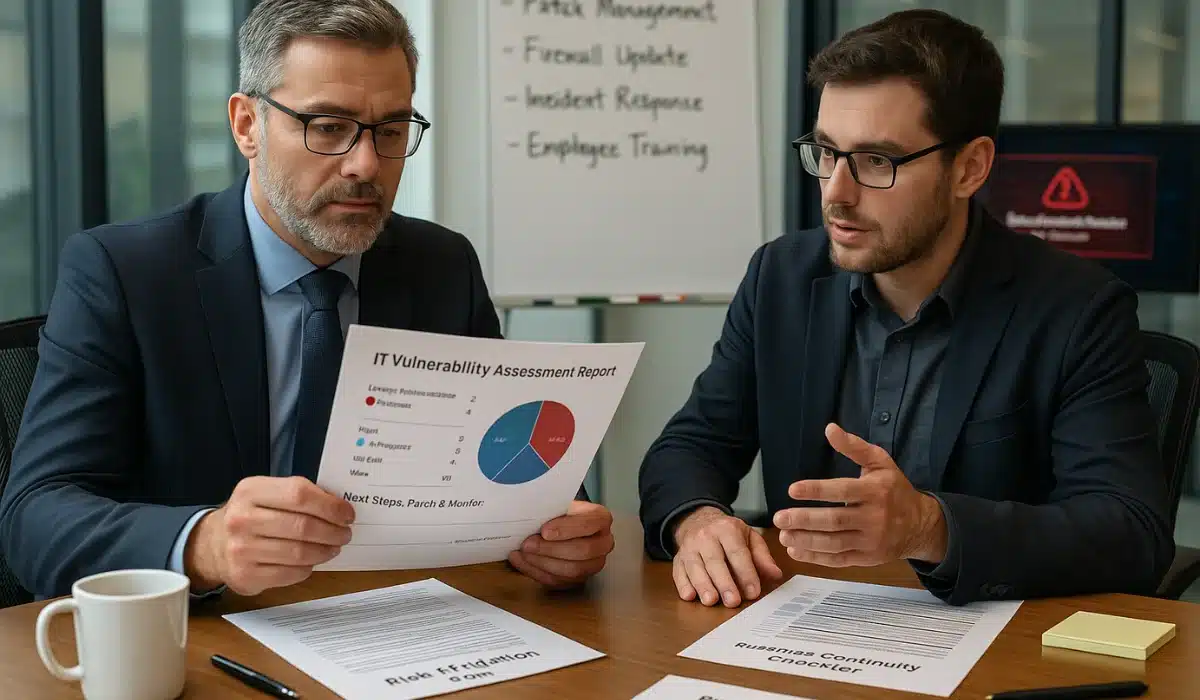
More than 90% of firms report that an hour of IT downtime costs at least $300,000, and 41% say it exceeds $1 million.
If you run a mid-sized business, you know that one major outage can freeze revenue, frustrate customers, and leave you scrambling to meet compliance deadlines. IT vulnerability assessments change that.
A vulnerability assessment scans your systems, applications, and cloud environments for weaknesses that can be addressed immediately before they escalate into costly crises. Pairing those findings with your cybersecurity program provides an ongoing plan that you can act on, keeping operations steady and leadership focused on growth rather than firefighting.
Here’s how vulnerability assessments keep your business running without surprises.
Key takeaways
- Spot gaps early: Identify and address weaknesses before attackers can exploit them.
- Reduce risks: Cut downtime and breach likelihood with prioritized fixes and continuous monitoring.
- Stay audit-ready: Meet compliance requirements and lower cyber-insurance costs with documented assessments.
- Work smarter: Pair automated scans with expert insight for faster, more accurate remediation.
Why business leaders can’t ignore hidden IT risks
Today’s IT environments are complex and interconnected
Your business likely relies on dozens of apps, cloud services, and vendor integrations, all of which connect in ways that expand your attack surface. Every new tool or partner adds security risks, often in places you won’t notice until something breaks.
Map where sensitive data resides and who has access to it. Identifying exposure early prevents data loss, fines, and thousands in recovery costs.
A single vulnerability can trigger widespread outages or breaches
One missed patch can halt operations. A vulnerability assessment helps you catch security vulnerabilities early, before they cause costly incidents. 84% of IT leaders say security vulnerabilities are the top cause of unplanned downtime in today’s “always on” business environment.
Enable automatic alerts for critical security updates so your team can patch quickly, before attackers take advantage.
Downtime costs thousands per hour for mid-sized firms
Each hour of downtime drains sales, frustrates staff, and forces overnight recovery. The business impact snowballs fast, which is why downtime prevention should be part of your risk management strategy. One financial services firm avoided a major outage by practicing quarterly recovery drills and documenting fallback systems.
Review your continuity plan this month and ensure that key systems are up to date, patched, and backed up.
What an IT vulnerability assessment really is
Clear definition and difference from penetration testing
An IT vulnerability assessment is a scan that identifies weaknesses in your systems and provides a clear, prioritized list of fixes. It differs from penetration testing, which simulates a real-world attack to determine what an intruder could actually accomplish. A vulnerability assessment is like a check-up: fast and repeatable. Penetration testing is the stress test that proves defenses under pressure.
Schedule a vulnerability assessment every quarter, and then run a penetration test annually to confirm that your security testing plan is effective.
Internal vs. external vulnerability scanning explained
A good vulnerability assessment checks both what’s inside your network and what outsiders can see. Internal scans detect outdated software or weak permissions, while external scans identify potential entry points that hackers might attempt to exploit. Regular vulnerability scanning helps you spot vulnerabilities early, using scanners that cover your whole environment.
Nearly 60% of all cyber compromises in 2024 were attributed to unpatched security flaws, rather than zero-day exploits. Run external scans monthly and internal scans quarterly, then track fixes to make sure issues don’t linger.
Common vulnerabilities that put businesses at risk
Mid-sized companies have sufficient technical complexity to attract attackers but often lack the resources of an enterprise-grade security team. That means common types of vulnerability go unpatched longer, leaving security weaknesses exposed. Regular reviews help you find and close these gaps before they cause damage.
Unpatched software and outdated systems
Attackers constantly look for outdated software. Leaving known vulnerabilities open is like leaving the door unlocked. Many mid-sized teams delay updates because they lack automated patch management tools, which makes them easy targets.
Create a patching schedule and review it weekly to ensure that no critical system is left behind.
Misconfigured cloud services and firewalls
Cloud settings and open firewalls can inadvertently expose private data if not regularly reviewed and updated. These misconfigurations often go unnoticed until attackers find them first.
Using scanning tools to run real-time checks helps you identify vulnerabilities in your cloud configurations and close gaps faster. Strengthen your application security posture by auditing permissions quarterly and deleting any unused access keys before they become an application vulnerability that could trigger costly cyberattacks.
Weak user access controls and MFA gaps
Weak passwords and missing MFA make it much easier for attackers to break in. This is one of the most common ways attacks succeed.
Good application security practices include enforcing strong passwords, requiring MFA on every account, and monitoring logins in real-time to spot anomalies quickly. Utilize password managers and automated checks to identify vulnerabilities, such as reused passwords, before they can be exploited.
Third-party and vendor risks
Each new vendor adds endpoints that expand your attack surface, and if they are compromised, the supply chain risk can directly impact your business.
Adequate application security means vetting vendors’ security policies up front and requiring breach notifications in contracts. Some companies now utilize continuous monitoring and scanning tools to identify vulnerabilities in vendor connections and detect potential application vulnerability issues early, before they escalate into full-scale cyberattacks.
The actual cost of skipping regular assessments
Ignoring vulnerability management leaves you exposed, and mid-sized companies rarely have the budget to absorb a significant breach. Regular IT vulnerability assessments cost far less than a single incident and help you avoid becoming tomorrow’s headline.
Breach costs: fines, lost revenue, recovery expenses
The average cost of a data breach reached $4.4 million in 2024. Those costs include regulatory fines, incident response, legal fees, customer notifications, and lost revenue during the recovery period.
For a mid-sized business, even a single breach can wipe out its annual profit margins. Budgeting for quarterly vulnerability assessments is far less expensive and helps prevent losses that could amount to millions of dollars.
Productivity loss from extended downtime
It takes organizations an average of 204 days to detect a breach and 73 days to contain it.
More than nine months of distraction have put IT projects on hold, increased overtime costs, and delayed revenue-generating initiatives. Weekly scans help prevent issues from lingering and minimize disruption. This lets teams focus on growth instead of recovery.
Reputational damage and customer churn
When sensitive data leaks, trust erodes rapidly: customers cancel, partners hesitate, and the business impact continues long after the breach is closed. Prepare a customer communication plan now so you can respond quickly and maintain trust in the event of an incident.
Regular assessments help you avoid tomorrow’s breach headlines and keep your business running smoothly.
How regular assessments strengthen compliance
Regulatory compliance is not just about avoiding fines; it is about showing that your business actively protects customer data. A vulnerability assessment provides documented proof that you are regularly identifying and mitigating risks, as regulators and insurers expect.
Meet HIPAA, PCI, SOC 2, and CCPA requirements
Rules such as HIPAA (Health Insurance Portability and Accountability Act), PCI (Payment Card Industry), SOC 2 (System and Organization Controls 2), and CCPA (California Consumer Privacy Act) all require robust security controls.
Connect each finding from your assessments to a specific compliance requirement, allowing you to demonstrate progress during your next audit.
Show evidence of security controls to regulators and insurers
Maintaining clear documentation shows your security posture and helps you validate that issues were resolved correctly.
Consolidate reports, screenshots, and scan notes in one place, enabling auditors and insurers to confirm your progress easily. Strong records not only simplify compliance reviews but can also strengthen your position when negotiating cyber insurance terms.
Lower cyber insurance premiums with documented testing
Organizations that used security AI and automation detected and contained incidents 98 days faster than those without automation.
Faster detection and response not only reduces breach damage but also makes your business more attractive to insurers. Documented assessments, clear remediation records, and proof of consistent scanning can help you negotiate lower cyber insurance premiums and better policy terms.
Best practices for effective vulnerability management
Good vulnerability management is about staying ahead of cyber threats, not just reacting after a breach. Following a clear vulnerability assessment process keeps your systems healthy and your business focused on growth.
Schedule scans regularly (quarterly or more for high-risk industries)
Routine scans help prevent minor problems from becoming major ones. Example: a financial services firm avoided a compliance penalty by catching a server issue during a scheduled quarterly scan. Set up automated scans to run on a fixed schedule and review results quickly so fixes happen while issues are still low risk.
Prioritize remediation by severity and business impact
Not every finding needs the same level of urgency.
Address the most critical vulnerabilities first, those that could disrupt operations, expose sensitive data, or lead to compliance failures. Use severity ratings to categorize issues into tiers and allocate resources to the most critical items. Clear ownership and tracking keep remediation and mitigation efforts moving, shorten your exposure window, and let your team stay focused on growth instead of firefighting.
Use automated tools plus expert validation
Automated scanners find a lot, but can flag harmless issues as threats. Pair them with expert review to cut false positives and focus on what matters. Manufacturers use vulnerability assessment tools to scan their environment, but rely on a security consultant to confirm which findings need action.
Try combining automated tools with a manual review process to ensure your team only works on real risks.
Diamond IT’s proactive assessment approach
At Diamond IT, we combine advanced threat intelligence with a clear workflow that helps your team act faster and stay audit-ready. Every engagement includes scheduled scans, actionable reports, and follow-up support to make sure fixes are completed.
SecureCentric scanning and detailed reporting
Our SecureCentric platform runs scheduled scans weekly for external systems and quarterly for internal systems, delivering clear, plain-language reports. Each report highlights critical issues, shows severity rankings, and includes remediation timelines.
Set an SLA with your IT lead to review and address each report within two business days.
Remediation planning and hands-on consulting
Finding problems only matters if you fix them. Our consultants work closely with your team to prioritize and plan fixes, then verify that the changes are effective.
Schedule a 30-minute review call after each assessment to confirm fixes and document progress for compliance.
IT vulnerability assessments are a cost-effective way to strengthen security, avoid fines, and protect revenue. They help you catch issues before they become emergencies and show regulators, insurers, and customers that you take security seriously.
Make assessments a regular business practice and track results over time to show improvement.
Book your vulnerability assessment with Diamond IT today.
FAQs
What is the difference between vulnerability scanning and vulnerability testing?
Vulnerability scanning is automated and quickly finds weaknesses across networks, apps, and devices. Vulnerability testing goes deeper, confirming whether attackers could actually exploit those weaknesses. For example, scanners like Qualys or Rapid7 might flag an outdated plug-in, while testing shows if it can trigger a real attack.
How often should I scan my web applications for new vulnerabilities?
Scan web applications at least monthly and whenever new vulnerabilities are published. Many teams set up weekly automated scans in tools like Nessus or Burp Suite to catch issues such as cross-site scripting before attackers exploit them.
Do vulnerability scanners work for APIs and open-source software?
Yes. Modern vulnerability scanners scan API endpoints and open-source components, where many breaches often originate. Good scanners flag vulnerabilities tied to known CVEs (Common Vulnerabilities and Exposures) and integrate with DevOps tools, ensuring fixes occur before code is released.