4.9 / 5


If you’re looking for IT support for your business, you might be wondering: how much do managed IT services cost? The answer isn’t always straightforward: the amount you’ll pay will depend on your organization’s needs.
A Managed Service Provider, or MSP, offers proactive, comprehensive IT support for small businesses. Working with an MSP is a great option for organizations that don’t have an in-house IT department, or who don’t have enough IT professionals on staff to get everything done. Investing in an MSP can help you save money in the long run, as you won’t be spending money on extensive repair costs.
In this article, we’ll break down common MSP pricing models, as well as what to expect when choosing an IT services partner for your business.
Key Takeaways
- Investing in monthly MSP support is usually more cost-effective than paying for break-fix services.
- MSPs offer a variety of pricing models, ranging from straightforward per-user plans to custom quotes.
- When selecting an MSP, you’ll need to consider factors like the level of support you need, the features included, and the fee structure.
- Diamond IT offers transparent pricing based on your organization’s unique needs.
Understanding the value proposition behind the price tag
Most small businesses have two options when it comes to outsourcing IT services: partnering with an MSP on an ongoing basis, or paying an hourly rate for break-fix services when things go wrong. Break-fix services may seem like a more affordable option up front, but they are usually much more expensive in the long run.
An MSP will work with you to improve your cybersecurity strategy and reduce downtime, all with a cost-effective and consistent fee structure. With an MSP, you get access to IT experts to help you proactively avoid costly cyberattacks, outages, and other IT issues.
In the long run, this will help you save money and keep your business running smoothly. Plus, you’ll be able to predictably budget for your IT costs each month, since MSP fees are consistent.
Many business leaders are catching on to this value proposition. In fact, 88% of small-to-medium businesses either currently work with an MSP or are considering using one in the future.
Managed IT services pricing models
Managed IT service providers offer several different pricing models to choose from. Let’s take a look at some of the most common pricing models and their pros and cons.
Per-user pricing
With per-user pricing, you’ll pay a fixed monthly fee for every system user in your organization, regardless of how many devices they use.
Pros:
- Straightforward: This pricing option is very easy to understand and budget for. There’s no confusion about how much you’ll be paying each month.
- Easy to scale: When you’re ready to hire new team members, it’s easy to calculate exactly how much more you’ll need to pay and budget accordingly.
Cons:
- Not ideal for large teams: If you have a large team or frequently work with contractors who need access to your systems, this might not be the most cost-effective model.
- Complex systems may require add-on support: Some per-user pricing models come with additional costs if you need particularly in-depth support.
This model works well for businesses that have small teams, but use multiple devices per team. For example, if everyone in your organization has both a company computer and a smartphone, per-user pricing will be more cost-efficient than per-device pricing.
Per-device pricing
With this pricing model, you’ll pay a flat monthly fee based on the number of devices you use. This typically includes both desktop and laptop computers, mobile devices like smartphones and tablets, and hardware like servers.
Pros:
- Straightforward pricing: This pricing model is very predictable and easy to budget for. If you plan to add more devices to your system, you’ll know exactly how much it will cost.
- Great for established businesses: Many long-running businesses have fixed systems that rarely require new devices. In this case, a per-device pricing model is very effective.
Cons:
- Costs can increase quickly: When your business is growing, it’s easy to purchase new devices without considering the increase in IT costs.
This model is ideal for businesses that have larger teams, but don’t have many devices. For example, this could work well in an office or call center where multiple people share a computer.
Tiered pricing (bundled services)
With this pricing model, the MSP provides multiple pricing tiers to choose from. For example, they might offer Bronze, Silver, and Gold packages, each offering increased features and levels of support. Higher-priced service packages come with more extensive support.
Pros:
- Options for many different types of businesses: You can choose the package that makes the most sense for your business based on your IT budget and needs.
- Predictable: Businesses pay the same flat fee for service every month, regardless of their size or the number of devices they use.
Cons:
- Limited scalability and flexibility: The price jump between service packages can be significant, which can make it difficult for businesses to scale. Clients are limited to the services included in their chosen package.
- Unnecessary features: Businesses may end up paying for features they do not use.
This approach works well for small- to mid-sized businesses who want standard, predictable IT offerings. Businesses can feel confident knowing exactly what IT support services they’ll get and how much they’ll pay each month.
Value-based/customized pricing
With this IT pricing model, MSPs evaluate the client’s IT needs and provide a customized quote. This quote is based on the overall value the MSP provides. This strategy may combine aspects of other pricing models.
Pros:
- Highly customizable: Brands can choose the exact services they need and skip the ones they don’t.
- Flexible: If your businesses’ IT needs change, your provider can simply provide a new quote, rather than having to switch packages.
Cons:
- Makes price comparison difficult: If you’re shopping around for IT service providers, it can be difficult to compare pricing options.
This approach is best for large organizations with very unique or specific needs. Instead of trying to fit your business into an existing service package, you’ll get services that are tailored to your needs.
A la carte/monitoring-only
With this pricing structure, providers offer a menu of specific services and charge a flat fee for each service. For example, they might offer network monitoring, help desk support, or backup management as separate services.
Pros:
- Lower entry cost: An a la carte model is usually the most affordable plan that MSPs offer, making it an accessible option for organizations on a budget.
- Complements existing IT environment: You can choose the IT services you need and skip the ones you don’t.
Cons:
- Costs add up: If you’re paying a la carte for multiple services, the costs can get more expensive than if you paid a flat fee.
This model works best for organizations that already have an on-site IT team, but need extra support to fill in the gaps.
Key factors influencing managed IT services pricing
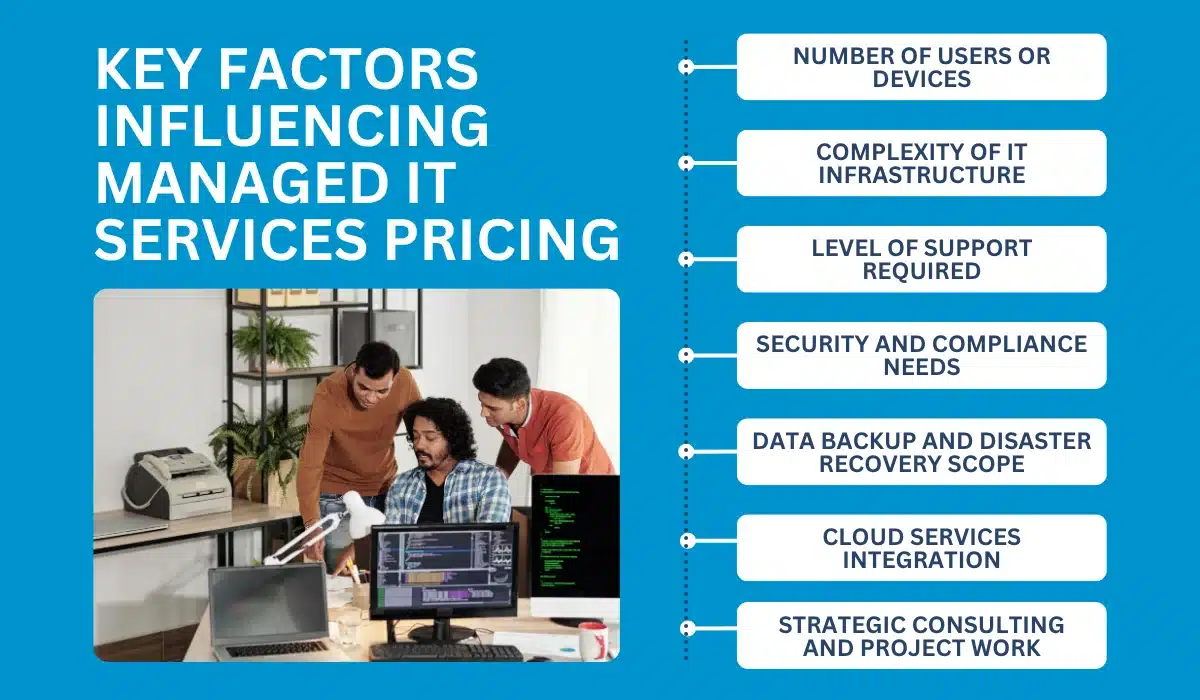
The cost of managed IT services isn’t always straightforward. There are a variety of factors that your MSP will consider when providing a quote.
Number of users or devices
If you opt for a per-user or per-device plan, these factors will directly affect your quote. This is because organizations with larger teams or a larger set of devices typically require more support.
Complexity of IT infrastructure
Another factor that weighs heavily on pricing is the complexity of your IT infrastructure. If your IT setup is particularly complex, it will require more ongoing support from the MSP team, especially when it comes to data backups, troubleshooting, and system upgrades.
When determining pricing, your MSP may factor in the number of physical and virtual servers you have, as well as any specialized hardware or software you use. If you have hardware across multiple locations or use advanced routing, this can also increase the price.
Level of support required
Some organizations need more responsive IT support than others, and this affects the cost of services. For example, if you only require basic monitoring, this will cost less than access to a 24/7 help desk. Having a dedicated account manager will also cost more.
Another factor to consider is whether you need on-site visits or can get by with only remote support. If your system is run primarily through the cloud, you can save money with a remote-only support package.
Security and compliance needs
If you need access to advanced cybersecurity solutions such as SIEM, firewalls, or endpoint detection and monitoring, this will increase the price of service.
An MSP can also provide cybersecurity compliance support for businesses, ensuring that your systems meet key standards like HIPAA, GDPR, or PCI DSS. Compliance support comes with an added cost, but can help you save money in the long run by avoiding compliance violations.
Data backup and disaster recovery scope
One of the most important services an MSP provides is data backups and disaster recovery.
39% of IT leaders say they need to restore backed-up files at least once a month, and an MSP will help make this process easier.
If you have a particularly high volume of data to back up, or your systems need particularly frequent testing, you’ll likely pay more for MSP services. For value-based plans, your MSP will evaluate your Recovery Time Objectives and Recovery Point Objectives when providing a quote.
Cloud services integration
The complexity of your cloud environment will also affect the total cost of your MSP services. MSPs may also charge additional fees for cloud migration services.
Strategic consulting and project work
MSPs can provide strategic consulting to help you strengthen your cybersecurity posture, implement automation solutions, and prepare for the future.
If you hire your MSP for projects beyond the scope of your monthly service level agreement, it may come with an additional fee.
However, some MSPs include IT strategy and technology roadmapping as part of their service packages. If you need strategic support, keep these costs in mind when evaluating MSPs.
What to look for in a managed IT services quote
Evaluating quotes from multiple IT service providers can help you find the right partner. There are many things to consider when evaluating a quote. Here are questions to ask that will help you make your decision.
- Transparency: Is the pricing model straightforward? Are there any hidden fees or unclear charges?
- Monthly cost clarity: Does the quote clearly outline your monthly cost and what it covers?
- Scope of services: What is included in the pricing model? Are there any services that require extra charges?
- Service level agreements: Does the MSP guarantee system uptimes? How fast will the team respond to inquiries?
- Contract length and terms: How long is the contract? Are there any fees if you want to cancel early? Some MSPs may offer month-to-month service, while others require a longer commitment.
- Security measures: What level of cybersecurity protection does the MSP guarantee?
- Support channels: How should you contact the team when support is needed? Is on-site support available? Some MSPs offer phone or email support, while others require clients to go through an online portal.
Making the right investment: Why Diamond IT’s approach matters
When selecting an MSP for your business, the lowest price isn’t always the best option. Instead, it’s best to opt for a service provider that offers a balance of high-quality support and cost-effectiveness tailored to your unique business needs. Your MSP will quickly become a key part of your operations, so it’s important to choose one that meets your business’s needs.
At Diamond IT, we believe in transparent pricing models tailored to your specific requirements. Our experts will evaluate your IT and cybersecurity needs and provide a clear quote that directly reflects the value of service.
Our comprehensive service packages focus on strategic IT and cybersecurity guidance. With Diamond IT’s guaranteed response times, you’ll have peace of mind knowing your tech needs are covered.
Get in touch with our team today to learn more about our services and request a quote.